
Cybersecurity Essentials | Password Management Best Practices
Strong passwords are one of the first lines of defense against cyberattacks. Developing lengthy, complex and hard to-guess passwords across your workplace accounts can significantly increase the time and computing power required to crack your credentials, making it far more difficult for cybercriminals to gain unauthorized access to sensitive systems and data.

With this in mind, it’s crucial to understand how to create effective passwords and, in turn, better protect your workplace accounts. This article highlights the key pillars of a strong password and offers additional tips to safeguard your credentials at work.
Key Pillars of a Strong Password
When developing passwords for your workplace accounts, remember these guidelines:
- Make it lengthy. Make it lengthy. Every additional character multiplies the number of combinations a cybercriminal must guess to crack your credentials. Aim for 15 characters or more. Using a combination of uppercase and lowercase letters, numbers, and symbols can also vastly complicate a hacker’s ability to steal your password.
- Never include personal information. Cybercriminals may gather public records and social media posts to uncover your personal information and use these details to compromise your credentials. As such, refrain from incorporating family or pet names, your favorite hobbies or sports teams, or special dates (e.g., birthdays and anniversaries) within your passwords.
- Avoid predictable patterns. Common character combinations (e.g., “welcome123,” “p@ssw0rd,” “qwerty” or “letmein”) are among hackers’ first guesses when attempting to swipe a password. In many situations, these combinations can be uncovered in mere seconds. The most effective passwords usually involve a string of four or more words or unique characters that form a memorable, albeit random, sentence (e.g., “@pplesRtheB3stFruit!”). Also known as passphrases, these combinations are often the hardest to crack.
- Don’t reuse or repeat. If you use the same passwords across different workplace (and personal) accounts, you could be increasingly vulnerable to credential stuffing, a tactic where cybercriminals use one stolen password to compromise multiple accounts and associated systems. Be sure to vary your passwords between accounts and never reuse previous combinations.
Safeguarding Your Credentials
Keep in mind that your passwords aren’t permanent. Your workplace systems and related applications may prompt you to change your passwords at set intervals (e.g., quarterly or semiannually). It’s also best to update your passwords if you suspect your account has been compromised or are notified that a service or platform you use has been breached. When creating your passwords, keep these credentials private. Never, under any circumstances, share your passwords with others.
While you may be tempted to use a physical notebook or a plain-text document stored on a personal device to keep track of all your passwords, this is a dangerous practice because such confidential information could fall into the hands of a malicious party. Rather, it’s important to leverage any password tools and further credential safeguards provided by your employer to keep your accounts safe. These resources may include:
- Password Managers: A password manager stores and organizes your credentials in a digital vault, often secured by a master password and/or biometric identifier (e.g., a fingerprint or facial scan). When it’s time to sign into your account, this tool automatically enters your login information. Using a password manager can help you maintain unique credentials while removing the burden of memorizing these complex combinations.
- Multifactor Authentication (MFA): Through MFA, you must confirm your identity by providing extra information, such as a phone number, biometric identifier, one-time security code or approval from a third-party authenticator application, in addition to your password when attempting to access sensitive corporate data and infrastructure. Many companies require MFA to access their networks, perform administrative functions within these networks and use enterprise-level cloud applications.
Talk to your employer to review the specific resources available to you. Furthermore, if you run into any problems when signing into workplace accounts or notice signs of suspicious activity (e.g., unexpected logins or password reset emails), report these issues immediately.
For More Information
Cybersecurity can be challenging, but you don’t have to navigate this topic alone. Reach out to your employer for more information on cybersecurity best practices
 https://www.dfmurphy.com/wp-content/uploads/The-Role-of-Umbrella-and-Excess-Liability-Coverage-in-Protecting-Against-Nuclear-Verdicts.jpg
628
1200
Murphy Insurance
https://dfmurphy.wpenginepowered.com/wp-content/uploads/Murphy-Insurance-Logo-Header.jpg
Murphy Insurance2026-10-27 07:00:292026-10-26 16:35:10How Umbrella Insurance Protects Your Business From Nuclear Verdicts
https://www.dfmurphy.com/wp-content/uploads/The-Role-of-Umbrella-and-Excess-Liability-Coverage-in-Protecting-Against-Nuclear-Verdicts.jpg
628
1200
Murphy Insurance
https://dfmurphy.wpenginepowered.com/wp-content/uploads/Murphy-Insurance-Logo-Header.jpg
Murphy Insurance2026-10-27 07:00:292026-10-26 16:35:10How Umbrella Insurance Protects Your Business From Nuclear Verdicts https://www.dfmurphy.com/wp-content/uploads/5-Common-Insurance-Mistakes-Small-Businesses-Make-.jpg
628
1200
Murphy Insurance
https://dfmurphy.wpenginepowered.com/wp-content/uploads/Murphy-Insurance-Logo-Header.jpg
Murphy Insurance2026-10-06 12:51:292026-10-06 16:02:595 Common Insurance Mistakes Small Businesses Make
https://www.dfmurphy.com/wp-content/uploads/5-Common-Insurance-Mistakes-Small-Businesses-Make-.jpg
628
1200
Murphy Insurance
https://dfmurphy.wpenginepowered.com/wp-content/uploads/Murphy-Insurance-Logo-Header.jpg
Murphy Insurance2026-10-06 12:51:292026-10-06 16:02:595 Common Insurance Mistakes Small Businesses Make https://www.dfmurphy.com/wp-content/uploads/Addressing-5-Common-Sources-of-General-Liability-Claims.png
907
1734
Wayne Texeira
https://dfmurphy.wpenginepowered.com/wp-content/uploads/Murphy-Insurance-Logo-Header.jpg
Wayne Texeira2026-09-30 07:00:482026-09-28 13:20:16Addressing 5 Common Sources of General Liability Claims
https://www.dfmurphy.com/wp-content/uploads/Addressing-5-Common-Sources-of-General-Liability-Claims.png
907
1734
Wayne Texeira
https://dfmurphy.wpenginepowered.com/wp-content/uploads/Murphy-Insurance-Logo-Header.jpg
Wayne Texeira2026-09-30 07:00:482026-09-28 13:20:16Addressing 5 Common Sources of General Liability Claims https://www.dfmurphy.com/wp-content/uploads/How-AI-Is-Changing-Cyber-Insurance-1200.jpg
628
1200
Wayne Texeira
https://dfmurphy.wpenginepowered.com/wp-content/uploads/Murphy-Insurance-Logo-Header.jpg
Wayne Texeira2026-09-15 07:00:112026-09-17 12:12:48How AI Is Changing Cyber Insurance
https://www.dfmurphy.com/wp-content/uploads/How-AI-Is-Changing-Cyber-Insurance-1200.jpg
628
1200
Wayne Texeira
https://dfmurphy.wpenginepowered.com/wp-content/uploads/Murphy-Insurance-Logo-Header.jpg
Wayne Texeira2026-09-15 07:00:112026-09-17 12:12:48How AI Is Changing Cyber Insurance https://www.dfmurphy.com/wp-content/uploads/Evan-Macedo-1200-x-628-.jpg
628
1200
Wayne Texeira
https://dfmurphy.wpenginepowered.com/wp-content/uploads/Murphy-Insurance-Logo-Header.jpg
Wayne Texeira2026-09-09 11:19:362026-09-10 15:39:23Murphy Insurance Welcomes Evan Macedo to Our Leadership Team
https://www.dfmurphy.com/wp-content/uploads/Evan-Macedo-1200-x-628-.jpg
628
1200
Wayne Texeira
https://dfmurphy.wpenginepowered.com/wp-content/uploads/Murphy-Insurance-Logo-Header.jpg
Wayne Texeira2026-09-09 11:19:362026-09-10 15:39:23Murphy Insurance Welcomes Evan Macedo to Our Leadership Team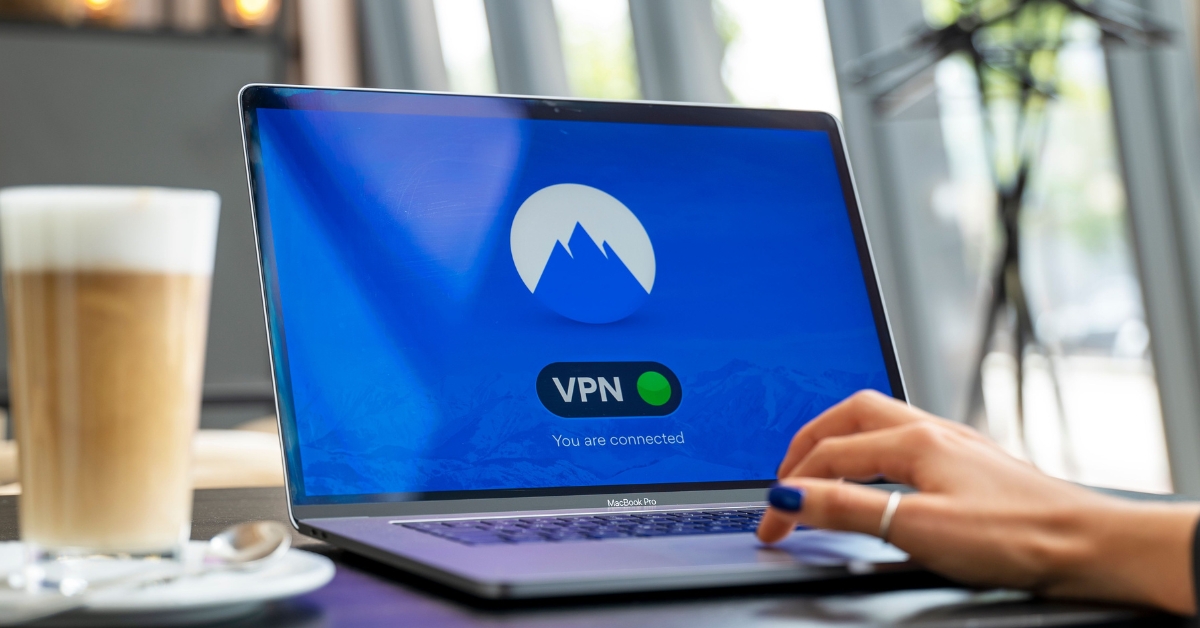 https://www.dfmurphy.com/wp-content/uploads/The-Value-of-Using-a-Virtual-Private-Network.jpg
628
1200
Wayne Texeira
https://dfmurphy.wpenginepowered.com/wp-content/uploads/Murphy-Insurance-Logo-Header.jpg
Wayne Texeira2026-09-01 21:08:272026-09-01 21:18:39The Value of Using a Virtual Private Network
https://www.dfmurphy.com/wp-content/uploads/Password-Management-Best-Practices.jpg
628
1200
Wayne Texeira
https://dfmurphy.wpenginepowered.com/wp-content/uploads/Murphy-Insurance-Logo-Header.jpg
Wayne Texeira2026-08-20 07:00:052026-08-13 18:55:41Cybersecurity Essentials | Password Management Best Practices
https://www.dfmurphy.com/wp-content/uploads/The-Value-of-Using-a-Virtual-Private-Network.jpg
628
1200
Wayne Texeira
https://dfmurphy.wpenginepowered.com/wp-content/uploads/Murphy-Insurance-Logo-Header.jpg
Wayne Texeira2026-09-01 21:08:272026-09-01 21:18:39The Value of Using a Virtual Private Network
https://www.dfmurphy.com/wp-content/uploads/Password-Management-Best-Practices.jpg
628
1200
Wayne Texeira
https://dfmurphy.wpenginepowered.com/wp-content/uploads/Murphy-Insurance-Logo-Header.jpg
Wayne Texeira2026-08-20 07:00:052026-08-13 18:55:41Cybersecurity Essentials | Password Management Best Practices https://www.dfmurphy.com/wp-content/uploads/Man-looking-through-folder-scaled.jpg
1340
2560
Murphy Insurance
https://dfmurphy.wpenginepowered.com/wp-content/uploads/Murphy-Insurance-Logo-Header.jpg
Murphy Insurance2026-08-10 07:00:312026-06-26 15:01:52The Time Is Now to Kick-start Open Enrollment Efforts
https://www.dfmurphy.com/wp-content/uploads/Man-looking-through-folder-scaled.jpg
1340
2560
Murphy Insurance
https://dfmurphy.wpenginepowered.com/wp-content/uploads/Murphy-Insurance-Logo-Header.jpg
Murphy Insurance2026-08-10 07:00:312026-06-26 15:01:52The Time Is Now to Kick-start Open Enrollment Efforts https://www.dfmurphy.com/wp-content/uploads/Certificates-of-Insurance-The-Costly-Mistakes-Many-Businesses-Dont-Catch-.jpg
628
1200
Murphy Insurance
https://dfmurphy.wpenginepowered.com/wp-content/uploads/Murphy-Insurance-Logo-Header.jpg
Murphy Insurance2026-07-30 07:00:472026-07-25 10:37:00Certificates of Insurance: The Costly Mistakes Many Businesses Don’t Catch
https://www.dfmurphy.com/wp-content/uploads/Certificates-of-Insurance-The-Costly-Mistakes-Many-Businesses-Dont-Catch-.jpg
628
1200
Murphy Insurance
https://dfmurphy.wpenginepowered.com/wp-content/uploads/Murphy-Insurance-Logo-Header.jpg
Murphy Insurance2026-07-30 07:00:472026-07-25 10:37:00Certificates of Insurance: The Costly Mistakes Many Businesses Don’t CatchVisit Our Business Insurance Page

Murphy Insurance stands as your steadfast partner in safeguarding your business from unforeseen challenges in today’s dynamic business landscape. In an era where comprehensive business insurance is not just a prudent choice but a vital one for ensuring the long-term stability and security of your enterprise, we are here to offer our expertise. Running a business inherently entails various risks that can potentially impact your financial stability and reputation. Learn more about our comprehensive business insurance solutions, which are meticulously designed to protect you from these potential threats, granting you peace of mind necessary to focus on the growth and prosperity of your business.

