
A virtual private network (VPN) uses an encrypted connection to route internet traffic through a remote server, granting a user access to certain digital services while masking their online activity. Connecting to a VPN establishes a secure tunnel between a user’s device and the internet, making it appear as though they are browsing from the server’s location and protecting their data from interception by malicious parties.
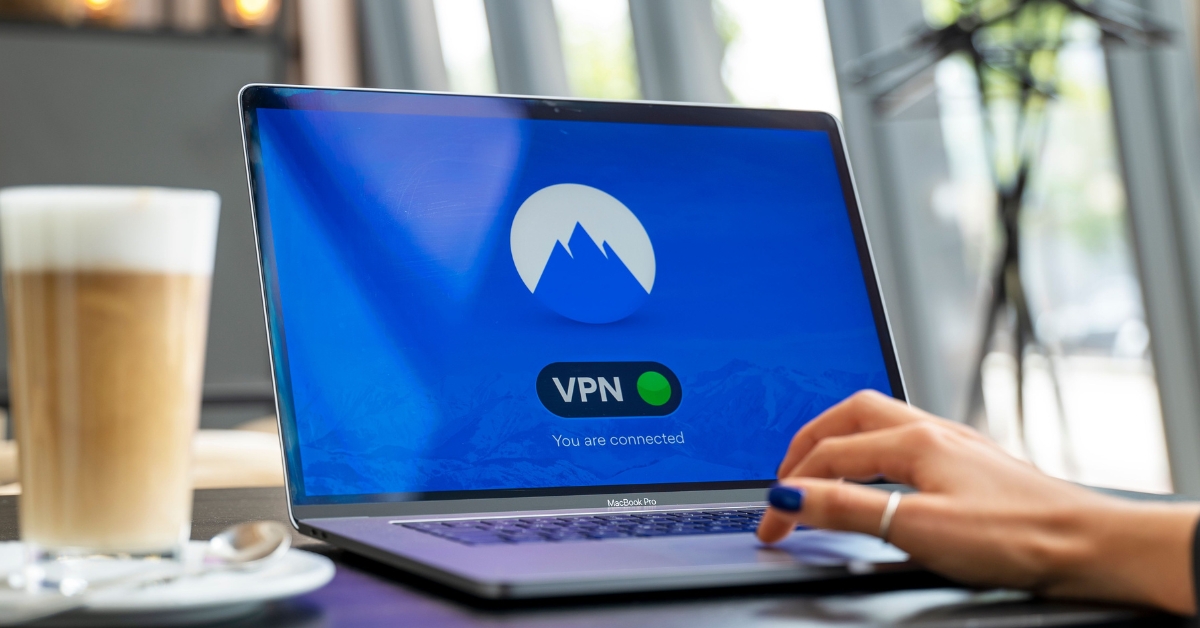
VPNs are a crucial cybersecurity tool for many companies, particularly those that permit employees to work from different locations and use public Wi-Fi networks. This article explains the benefits of a VPN, when to use it and how to connect safely.
The Benefits of a VPN
Using a VPN can benefit both you and your employer in several ways:
- Enhanced asset protection: This tool helps you maintain a secure internet connection when accessing corporate information and infrastructure, such as files, emails and applications. This is most important when you are working remotely, whether from home or in public settings (e.g., hotels, airports or coffee shops).
- Reduced cyberattack exposure: Using a VPN can stop hackers in their tracks by blocking various types of eavesdropping and certain account compromise attempts. This, in turn, can limit the likelihood of subsequent data breaches and ransomware attacks.
- Bolstered compliance: Maintaining a secure VPN can support your employer’s efforts to meet applicable data protection requirements, thereby reducing the risk of related legal penalties.
When to Use a VPN
It’s best to use your workplace VPN in these circumstances:
- Whenever you are off the corporate network (e.g., remote work or business travel).
- Prior to accessing sensitive internal databases, systems and shared drives.
- Anytime you have to connect to a public or otherwise untrustworthy Wi-Fi network.
- Remember to review your employer’s VPN policy for any additional usage requirements.
Ensuring a Safe Connection
In some cases, your workplace device may automatically connect to the VPN when you sign in to your account. If you must manually connect, follow these general guidelines:
- Log in to your device and open the designated VPN application.
- Provide your credentials when prompted. You may also be asked to complete a multifactor authentication request.
- Click “connect” to create a secure, encrypted tunnel to the corporate network via the VPN server.
Keep in mind that specific setup instructions may vary by VPN application. Consult your employer for detailed guidance. If you have trouble connecting to the VPN or suspect unusual network activity, report it immediately.
Safety Considerations of VPNs
VPNs are a valuable safeguard that can protect both you and your employer. However, these tools have limitations. In particular, VPNs can’t defend against phishing scams, previously compromised account credentials or malware that has already been deployed on a workplace device. As such, it’s imperative to use your workplace VPN alongside other cybersecurity tools and precautions to ensure maximum protection.
Cybersecurity can be challenging, but you don’t have to navigate it alone. Reach out to your employer for more information on cybersecurity best practices.
 https://www.dfmurphy.com/wp-content/uploads/How-AI-Is-Changing-Cyber-Insurance-1200.jpg
628
1200
Wayne Texeira
https://dfmurphy.wpenginepowered.com/wp-content/uploads/Murphy-Insurance-Logo-Header.jpg
Wayne Texeira2026-09-15 07:00:112026-09-17 12:12:48How AI Is Changing Cyber Insurance
https://www.dfmurphy.com/wp-content/uploads/The-Value-of-Using-a-Virtual-Private-Network.jpg
628
1200
Wayne Texeira
https://dfmurphy.wpenginepowered.com/wp-content/uploads/Murphy-Insurance-Logo-Header.jpg
Wayne Texeira2026-09-01 21:08:272026-09-01 21:18:39The Value of Using a Virtual Private Network
https://www.dfmurphy.com/wp-content/uploads/How-AI-Is-Changing-Cyber-Insurance-1200.jpg
628
1200
Wayne Texeira
https://dfmurphy.wpenginepowered.com/wp-content/uploads/Murphy-Insurance-Logo-Header.jpg
Wayne Texeira2026-09-15 07:00:112026-09-17 12:12:48How AI Is Changing Cyber Insurance
https://www.dfmurphy.com/wp-content/uploads/The-Value-of-Using-a-Virtual-Private-Network.jpg
628
1200
Wayne Texeira
https://dfmurphy.wpenginepowered.com/wp-content/uploads/Murphy-Insurance-Logo-Header.jpg
Wayne Texeira2026-09-01 21:08:272026-09-01 21:18:39The Value of Using a Virtual Private Network https://www.dfmurphy.com/wp-content/uploads/Password-Management-Best-Practices.jpg
628
1200
Wayne Texeira
https://dfmurphy.wpenginepowered.com/wp-content/uploads/Murphy-Insurance-Logo-Header.jpg
Wayne Texeira2026-08-20 07:00:052026-08-13 18:55:41Cybersecurity Essentials | Password Management Best Practices
https://www.dfmurphy.com/wp-content/uploads/Password-Management-Best-Practices.jpg
628
1200
Wayne Texeira
https://dfmurphy.wpenginepowered.com/wp-content/uploads/Murphy-Insurance-Logo-Header.jpg
Wayne Texeira2026-08-20 07:00:052026-08-13 18:55:41Cybersecurity Essentials | Password Management Best Practices https://www.dfmurphy.com/wp-content/uploads/Cyber-Insurance-for-Small-Businesses-What-It-Actually-Covers-and-What-It-Does-Not.jpg
628
1200
Murphy Insurance
https://dfmurphy.wpenginepowered.com/wp-content/uploads/Murphy-Insurance-Logo-Header.jpg
Murphy Insurance2026-06-08 07:03:272026-05-15 13:41:59Cyber Insurance for Small Businesses | What It Actually Covers and What It Does Not
https://www.dfmurphy.com/wp-content/uploads/Cyber-Insurance-for-Small-Businesses-What-It-Actually-Covers-and-What-It-Does-Not.jpg
628
1200
Murphy Insurance
https://dfmurphy.wpenginepowered.com/wp-content/uploads/Murphy-Insurance-Logo-Header.jpg
Murphy Insurance2026-06-08 07:03:272026-05-15 13:41:59Cyber Insurance for Small Businesses | What It Actually Covers and What It Does Not https://www.dfmurphy.com/wp-content/uploads/Increase-1200.jpg
628
1200
Murphy Insurance
https://dfmurphy.wpenginepowered.com/wp-content/uploads/Murphy-Insurance-Logo-Header.jpg
Murphy Insurance2026-01-29 13:21:072026-01-29 13:24:44U.S. Average Breach Cost Hits Record High of $10.22 Million
https://www.dfmurphy.com/wp-content/uploads/Increase-1200.jpg
628
1200
Murphy Insurance
https://dfmurphy.wpenginepowered.com/wp-content/uploads/Murphy-Insurance-Logo-Header.jpg
Murphy Insurance2026-01-29 13:21:072026-01-29 13:24:44U.S. Average Breach Cost Hits Record High of $10.22 Million https://www.dfmurphy.com/wp-content/uploads/October-is-Cybersecurity-Awareness-Month-Are-You-Cyber-Smart-at-Home-and-at-Work.jpg
628
1200
Murphy Insurance
https://dfmurphy.wpenginepowered.com/wp-content/uploads/Murphy-Insurance-Logo-Header.jpg
Murphy Insurance2025-10-16 12:20:422025-10-16 12:31:25October is Cybersecurity Awareness Month: Are You Cyber-Smart at Home and at Work?
https://www.dfmurphy.com/wp-content/uploads/October-is-Cybersecurity-Awareness-Month-Are-You-Cyber-Smart-at-Home-and-at-Work.jpg
628
1200
Murphy Insurance
https://dfmurphy.wpenginepowered.com/wp-content/uploads/Murphy-Insurance-Logo-Header.jpg
Murphy Insurance2025-10-16 12:20:422025-10-16 12:31:25October is Cybersecurity Awareness Month: Are You Cyber-Smart at Home and at Work? https://www.dfmurphy.com/wp-content/uploads/Cybersecurity-Awareness-Month-How-Businesses-Can-Stay-Protected-in-a-Digital-World.jpg
628
1200
Murphy Insurance
https://dfmurphy.wpenginepowered.com/wp-content/uploads/Murphy-Insurance-Logo-Header.jpg
Murphy Insurance2025-10-14 21:56:352025-10-14 22:09:53Cybersecurity Awareness Month: How Businesses Can Stay Protected in a Digital World
https://www.dfmurphy.com/wp-content/uploads/Cybersecurity-Awareness-Month-How-Businesses-Can-Stay-Protected-in-a-Digital-World.jpg
628
1200
Murphy Insurance
https://dfmurphy.wpenginepowered.com/wp-content/uploads/Murphy-Insurance-Logo-Header.jpg
Murphy Insurance2025-10-14 21:56:352025-10-14 22:09:53Cybersecurity Awareness Month: How Businesses Can Stay Protected in a Digital World https://www.dfmurphy.com/wp-content/uploads/Co-workers-with-technology-scaled.jpg
1340
2560
Murphy Insurance
https://dfmurphy.wpenginepowered.com/wp-content/uploads/Murphy-Insurance-Logo-Header.jpg
Murphy Insurance2025-03-13 12:24:512025-03-19 22:58:18Best Practices for Creating a Cybersecurity Culture
https://www.dfmurphy.com/wp-content/uploads/Co-workers-with-technology-scaled.jpg
1340
2560
Murphy Insurance
https://dfmurphy.wpenginepowered.com/wp-content/uploads/Murphy-Insurance-Logo-Header.jpg
Murphy Insurance2025-03-13 12:24:512025-03-19 22:58:18Best Practices for Creating a Cybersecurity Culture https://www.dfmurphy.com/wp-content/uploads/Spam-Phishing-scaled.jpg
1340
2560
Murphy Insurance
https://dfmurphy.wpenginepowered.com/wp-content/uploads/Murphy-Insurance-Logo-Header.jpg
Murphy Insurance2024-08-05 10:00:182025-04-01 16:10:12Recognize Spam and Phishing Emails
https://www.dfmurphy.com/wp-content/uploads/Spam-Phishing-scaled.jpg
1340
2560
Murphy Insurance
https://dfmurphy.wpenginepowered.com/wp-content/uploads/Murphy-Insurance-Logo-Header.jpg
Murphy Insurance2024-08-05 10:00:182025-04-01 16:10:12Recognize Spam and Phishing EmailsVisit Our Business Insurance Page

Murphy Insurance stands as your steadfast partner in safeguarding your business from unforeseen challenges in today’s dynamic business landscape. In an era where comprehensive business insurance is not just a prudent choice but a vital one for ensuring the long-term stability and security of your enterprise, we are here to offer our expertise. Running a business inherently entails various risks that can potentially impact your financial stability and reputation. Learn more about our comprehensive business insurance solutions, which are meticulously designed to protect you from these potential threats, granting you peace of mind necessary to focus on the growth and prosperity of your business.

